
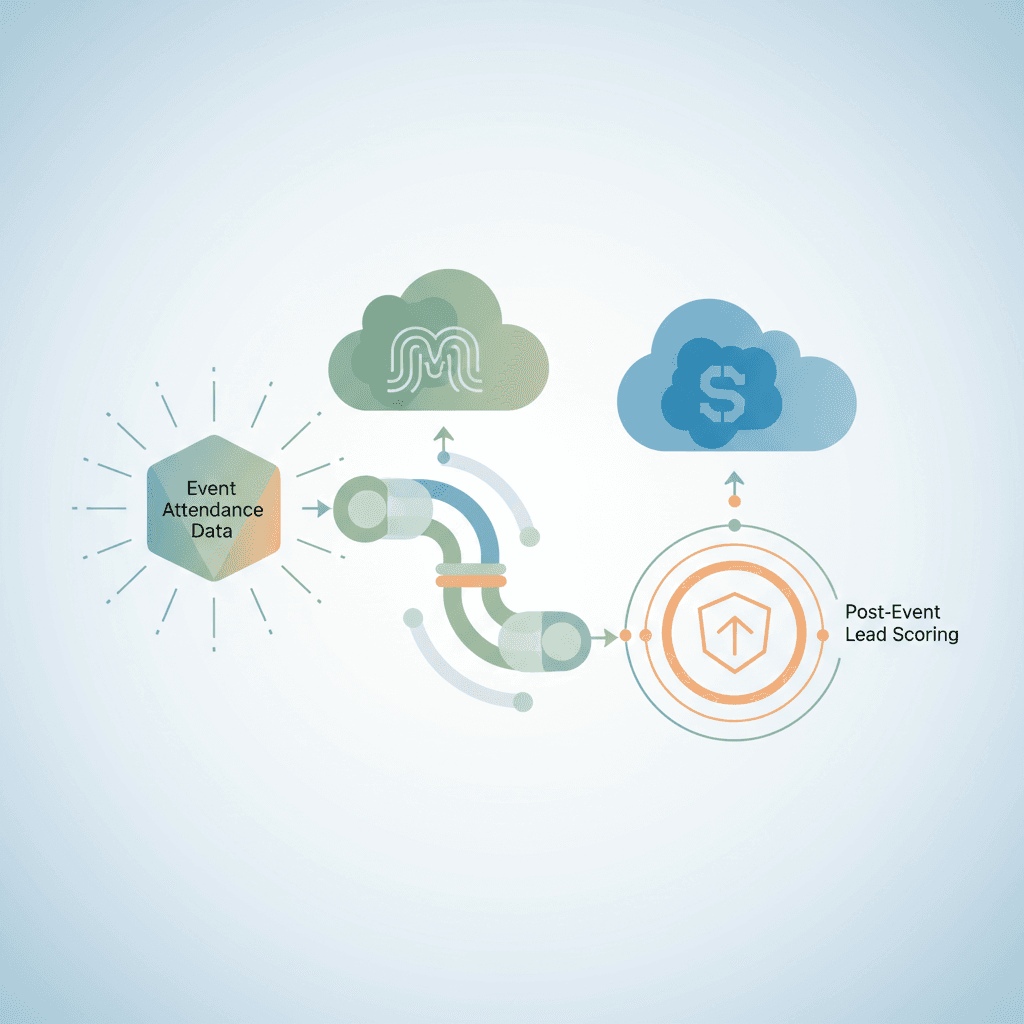
Sync Event Attendance Data Into Salesforce and Marketo for Lead Scoring
Learn how to sync event attendance data into Salesforce and Marketo to trigger post-event lead scoring, automate follow-up, and close the pipeline gap fast.
Yes, event attendance data can sync directly into Salesforce and Marketo to drive post-event lead scoring, but only if your field mapping, programme statuses, and trigger campaigns are configured correctly. Without that architecture, attendance signals sit idle and pipeline momentum is lost within hours of the event ending.
Why Event Attendance Data Is a Lead Scoring Asset Most Revenue Teams Leave on the Table
Research shows that event attendees convert to pipeline at 3-5x the rate of cold outbound prospects, yet fewer than 30% of B2B revenue teams have a systematic process to sync attendance signals into their CRM within 24 hours of the event. That gap is not a technology problem; it is an architecture problem.
Understanding event lead scoring thresholds begins with recognising that attendance is a behavioural signal with a short half-life. Revenue teams that run scored follow-up see shorter sales cycles by roughly 20%, because they reach the right contacts while intent is still warm. Most teams that skip this step are not lacking tools; they are lacking a repeatable process that treats event engagement with the same urgency as a demo request or a pricing page visit.
The gap between event engagement signals and CRM action
The typical workflow failure looks like this: badge scans land in a CSV, that CSV reaches marketing ops 48 to 72 hours later, and data arrives in Salesforce as a flat contact import with no programme membership, no score update, and no sales alert. The problem here is engagement signal decay. Most event management software does generate a usable data export within minutes of the session ending. The failure lives entirely in the human handoff, not in the platform's capability.
What does post-event lead scoring actually measure?
Post-event lead scoring measures specific behavioural signals: registration timestamp, confirmed attendance, session duration above 50%, multiple sessions attended, booth interaction, live poll responses, and content downloads. These are distinct from demographic or firmographic scores, which measure who the prospect is rather than what they did. Marketo's scoring framework includes a dedicated behavioural score layer designed for exactly this purpose. For a deeper look at how CRM data feeds these models, see our guide on event marketing solutions that auto-integrate CRM data to personalise campaigns.
Why delayed or manual data sync kills pipeline momentum
Sales follow-up within 5 minutes of a lead action drives 9x higher contact rates, a benchmark well-documented across B2B sales research. If attendance data takes 72 hours to reach a rep, the prospect has almost certainly moved on to the next problem on their list. The pipeline momentum window is narrow and non-renewable. Every hour of delay is a conversion probability you cannot recover. The architecture decisions covered below are precisely what closes this gap.
How Event Attendance Data Flows Into Salesforce and Marketo
Think of the data pipeline between your event platform and your CRM like a plumbing system. The pressure (your attendance data) is there the moment the session ends, but if the pipes are not connected correctly, you end up with a flood in the wrong place or nothing at the tap when sales need it most.
The core architecture involves three layers: the event platform generating structured data, a connector (native or middleware) moving that data in real time or batches, and the receiving objects in Salesforce and Marketo that store, trigger, and score it. Getting these three layers aligned is what separates teams that turn events into pipeline from teams that turn events into spreadsheets.
| Event Platform | Native Salesforce Connector | Native Marketo Connector | Real-Time Sync | Notes |
|---|---|---|---|---|
| Cvent | Yes | Yes | Yes | Pre-built field maps; session-level data available |
| ON24 | Yes | Yes | Near real-time | Strong webinar session-duration data |
| InEvent | Yes | Yes | Yes | Robust for hybrid events |
| Hopin / RingCentral Events | Partial | Via middleware | Batch | Native connector limited; use Zapier or Make |
| Goldcast | Yes | Yes | Yes | Purpose-built for B2B GTM; strong scoring hooks |
| Generic platform | Via middleware | Via middleware | Configurable | Zapier, Make, or Workato; requires manual field mapping |
Platforms with native integrations with Salesforce and Marketo, such as Cvent and Goldcast, reduce configuration time significantly compared to middleware paths. For a full comparison of event management CRM integration approaches, the differences in data fidelity between native and middleware options are worth reviewing before you commit to a platform.
What data points are captured at registration and attendance sync?
A reliable sync captures the following fields. Fields marked "custom" require manual creation in Salesforce and Marketo before the event:
- Registration timestamp (standard)
- Confirmation email open (standard in Marketo, custom in Salesforce)
- Check-in or badge scan timestamp (custom)
- Session-level attendance per session, not just event-level (custom)
- Session duration in minutes attended (custom)
- Poll and Q&A interaction count (custom)
- Content downloads during the event (custom)
- Booth dwell time for in-person events (custom)
Missing even one key custom field, particularly session duration, removes an entire tier from your downstream scoring logic.
Real-time vs. batch sync: which integration model fits your GTM motion?
Real-time sync uses a webhook that fires on each attendance event. It is the right choice for high-velocity sales motions and deals above $10,000 ACV, where a 2-hour follow-up window is a firm SLA. Batch sync runs on a schedule (for example, every 4 hours or at event end) and is simpler to configure, but it carries real risk: if the batch runs at midnight and your event ended at 5 PM, your reps start the next morning already behind.
Note that Marketo's API rate limit on a standard plan is 50,000 calls per day. For large events with concurrent session attendance tracking, real-time webhook volume can approach this ceiling; plan accordingly.
How does field mapping work between event platforms and Salesforce or Marketo?
Email is the primary matching key. If a record arrives with an email that matches an existing contact or lead, the system updates that record. If no match exists, the system creates a new lead. This behaviour is configurable. In Salesforce, custom fields require a specific data type (text, picklist, or number); in Marketo, the corresponding field must mirror that type exactly, because the sync is case-sensitive in several integration configurations.
For a hands-on walkthrough of CRM field mapping decisions and how they affect downstream automation, the CRM agent guide for B2B revenue teams covers the underlying object model in practical terms.
Which event platforms offer a native connector vs. a middleware integration?
Native connectors from platforms like Cvent, ON24, and Goldcast ship with pre-built field maps and reduce configuration time to a few hours. Middleware tools such as Zapier, Make, or Workato require you to map every field manually but work with virtually any session attendance data source. Developer-built custom integrations via REST API offer the most control and can handle complex multi-session hierarchies, but they typically take 2 to 6 weeks to build and test.
One important nuance: "native" does not always mean real-time. Some native connectors run on a 15-minute or hourly polling cadence. Confirm the exact sync cadence with your vendor before go-live.
What happens to duplicate or unmatched records during sync?
Unmatched records create net-new leads in the CRM, which is acceptable if your deduplication rules are configured. Duplicate risk spikes when attendees register with a personal email rather than their corporate address. Marketo uses email as its unique identifier for deduplication. Salesforce requires either a third-party tool (Dedupely or DemandTools are widely used options) or a custom matching rule defined in setup. The practical fix is simple: require corporate email on your registration form and flag free-domain addresses for review before sync begins.
Configuring Lead Scoring Models in Marketo Using Event Engagement Data
A prospect who attended 80% of your 90-minute product deep-dive and responded to two live polls is not the same lead as someone who registered and never showed up, but most Marketo scoring models treat them identically. That is a misconfiguration, not a scoring strategy, and it directly costs pipeline quality.
Getting Salesforce and Marketo to reflect that distinction requires deliberate score value assignment, custom field architecture, and a decay rule that prevents stale event scores from inflating your MQL count months later.
How do you assign score values to attendance behaviours in Marketo?
Use Marketo Smart Campaigns with the "Program Status Changed" trigger. Create a scoring campaign, set the trigger to fire when programme status changes, filter by the specific programme name, then define flow steps that adjust the score field by the values below. Calibrate these values against your existing MQL threshold, typically around 100 points for mid-market B2B:
- Registration confirmed: +5 points. Rationale: intent signal, low commitment.
- Attended (any session): +15 points. Rationale: showed up; meaningful behavioural commitment.
- Session attendance duration above 50%: +10 points. Rationale: sustained engagement, not just badge-in-and-leave.
- Each additional session attended beyond the first: +10 points. Rationale: depth of interest scales with session count.
- Live poll or Q&A response: +5 points. Rationale: active participation above passive attendance.
- No-show after registration: -5 points. Rationale: registered intent not fulfilled; downweight accordingly.
- Score decay: reduce total event score component by 50% after 90 days without further engagement.
Using custom fields to capture session-level and duration data for scoring
Session-level scoring requires custom fields in Marketo, for example "Session 1 Attended" as a checkbox and "Session 1 Duration Minutes" as an integer field. These fields must be created in Salesforce first, then synced into Marketo via the native CRM sync. Once available, you can build separate Smart Campaign triggers that fire on custom field value changes, allowing each session to contribute its own score delta independently.
Without session-level custom fields, your scoring model can only fire at the event level. That flattens a rich signal gradient into a single binary: attended or did not attend. You lose the ability to distinguish a highly engaged prospect from someone who logged in for 4 minutes.
Stacking event engagement scores against existing behavioural and demographic scores
Event score is additive, not a replacement for your existing model. A prospect carrying a demographic score of 40 (right ICP, right title, right company size) plus an event engagement score of 35 reaches 75 total, close to a typical MQL threshold. That is a meaningful, qualified signal.
The risk is score inflation from repeat event attendance. A prospect who attends three webinars in a month should not automatically triple their event score. Implement a per-event score cap, for example a maximum of +30 points per event regardless of how many individual behaviours trigger, and use the lead scoring tools for event-triggered workflows available in your stack to enforce this cap at the Smart Campaign level.
When should an event attendance trigger a sales alert in Salesforce?
Define the trigger clearly before the event. If a prospect's total score crosses the MQL threshold (for example, 100 points) within 48 hours of the event ending, create a Salesforce Task assigned to the account owner with a 24-hour SLA. If the score does not cross the threshold but the event score delta is 25 points or more, create a lower-priority follow-up task with a 48-hour SLA instead.
Use Salesforce Flow or a Marketo webhook posting to Slack for immediate rep notification at the moment the task is created. For a deeper look at how sales alert automation integrates with rep workflow in Salesforce, the guide on agent CRM AI automation for B2B revenue teams covers the task and notification architecture in detail.
Automating Post-Event Follow-Up Sequences Triggered by Attendance Data
What if the moment your event platform marks a contact as "Attended," a personalised follow-up email was already in their inbox, the right rep had a task in Salesforce, and the lead was slotted into a scored nurture sequence, all without a single manual step? That is not a future state; it is a configuration problem.
The sequence design below is deliberately step by step, grounded in attendance depth segmentation, and built to run without manual intervention for events of any size.
How to build a Marketo smart campaign that fires on sync completion
- Create an Engagement Programme in Marketo scoped to the specific event.
- Set the trigger: "Program Status is Changed" to "Attended."
- Add a filter: "Event Name contains [event-slug]" to prevent cross-programme firing.
- Flow step 1: Send Email using a personalised template that references the session the contact attended.
- Flow step 2: Change Score by +15 (attendance base score).
- Flow step 3: Sync Lead to Salesforce, creating or updating the Campaign Member record. For detail on how activity records update campaign membership, review the Marketo-Salesforce activity sync documentation.
- Flow step 4: Create Task in Salesforce if total score is at or above the MQL threshold.
Marketo's trigger campaigns process on a near-continuous cycle, typically within 5 minutes of the triggering event. For large events with hundreds of simultaneous attendees, confirm your API call volume stays within plan limits.
Routing scored leads to the right sales queue in Salesforce automatically
Salesforce Assignment Rules handle routing based on territory, account ownership, or product interest captured at registration. If the attending contact belongs to an existing account with an assigned owner, route directly to that rep. If the contact is net-new, use a round-robin or territory-based assignment rule.
Create a dedicated "Post-Event MQL" queue visible to sales leadership for intraday monitoring during and immediately after the event. Routing logic must be agreed with sales before the event runs, not after. Discovering a routing gap at 9 PM on event day, when 200 scored leads are sitting unassigned, is an avoidable operational failure.
Segmenting follow-up by attendance depth: registered-only vs. attended vs. highly engaged
Three tracks cover the full audience:
- Registered-only (no-show): Send a reactivation email with the on-demand recording link. Enrol in a nurture sequence with touchpoints at Day 3 and Day 7. Score: -5 from the no-show flag; no sales task created unless overall score is still near threshold.
- Attended: Send a personalised thank-you email referencing sessions attended within 2 hours of session end. Assign a rep follow-up task with a 48-hour SLA. For post-event nurture sequences that extend engagement beyond the initial follow-up, see the virtual event marketing strategy playbook.
- Highly engaged (2 or more sessions plus a poll or booth interaction): Trigger a direct rep call attempt within 2 hours. Send a personalised email simultaneously. Escalate to account executive if the contact maps to a named account.
What is the ideal response window after an event for maximum conversion rate?
The 2-hour window after session end is the primary target for post-event email sends. Open rates on post-event emails decline sharply after 24 hours, and after 72 hours the event context has largely faded for most prospects. This is not a soft guideline; it is a hard SLA that revenue ops should enforce through Salesforce task due-date automation.
For events with more than 500 attendees, manual follow-up within a 2-hour window is operationally impossible. Automation is not optional at that scale. The cross channel coordination required, email personalisation, Salesforce task creation, rep notification, and nurture enrolment, all need to fire from a single trigger without human intervention to stay inside the response window.
Data Mapping and Integration Architecture for Reliable Sync
Before native event platform connectors existed, circa 2015, revenue teams built sync via manual CSV uploads and SFTP transfers that took days. Today, the architecture options are mature, but the decisions you make at the field-mapping stage still determine whether your customer data is trustworthy six months after the event or a liability.
Good mapping decisions also determine whether your event reporting is meaningful. If session duration is captured inconsistently across events, your historical analysis is worthless. Build the architecture to be repeatable from the first event.
| Source Field (Event Platform) | Salesforce Object / Field | Marketo Field | Notes |
|---|---|---|---|
| Lead / Contact: Email | Email Address | Primary deduplication key; require corporate domain | |
| First Name | Lead / Contact: First Name | First Name | Standard; rarely causes issues |
| Last Name | Lead / Contact: Last Name | Last Name | Standard |
| Company | Lead / Contact: Company | Company Name | Watch for abbreviation mismatches vs. Account Name |
| Job Title | Lead / Contact: Title | Job Title | Map to persona segment in Marketo for scoring |
| Attendance Status | Campaign Member: Status | Program Status | Must use exact Marketo status labels |
| Session Duration (minutes) | Campaign Member: Custom Number Field | Custom Integer Field | Custom field required in both systems |
| Sessions Attended Count | Campaign Member: Custom Number Field | Custom Integer Field | Drives multi-session score stacking |
Handling multi-session events and parent-child campaign structures
Multi-session events require a deliberate object hierarchy. The two accepted approaches are: one Salesforce Campaign per session (flat structure, simpler to query) or a parent Campaign with child Campaigns for each session (cleaner for event reporting and attribution rollup). The parent-child model is preferred for events with five or more sessions because it allows attribution reporting at both the session level and the overall event level without duplicating contact records.
Marketo Programme Channel must align 1:1 with Salesforce Campaign Type. Misalignment here breaks the sync and creates orphaned programme members that never receive a score update. Validate this mapping in a sandbox environment before any live event.
For the full technical detail on how activity records flow between the two platforms, the SFDC Activity Sync documentation is the authoritative reference.
Data hygiene and audit checkpoints after sync
Run a data audit within 4 hours of sync completion, checking for unmatched records, missing session duration values, and duplicate contacts. Run a second audit at 48 hours to catch any records that arrived late via batch. The Salesforce Campaign Member report filtered by "Created Date = Today" is a fast way to spot anomalies without building a custom dashboard.
The customer data quality you maintain here directly affects predictive scoring models downstream. If your event data is inconsistent across three events, any machine-learning-assisted scoring layer (such as Salesforce Marketing Cloud Einstein or a third-party model) will be trained on noise, not signal.
Connecting event data to broader revenue attribution
Session attendance records in Salesforce carry a Created Date and a Campaign association, which means they feed directly into multi-touch attribution models. A contact who attended a webinar, downloaded a resource two weeks later, and then accepted a demo request can have all three touchpoints attributed accurately if your Campaign Member objects are correctly structured.
Salesforce Marketing Cloud and similar platform comparisons often centre on attribution fidelity. The underlying principle is the same regardless of which platform you use: attribution is only as good as the engagement data you capture at the source. Well-mapped event attendance data turns your events from a cost centre into a measurable pipeline contributor.
For a broader look at how data-driven targeting strategies incorporate event signals alongside other behavioural data, the data-driven B2B targeting strategy guide covers the full model.
Key Takeaways
- Native connectors from platforms like Cvent, ON24, and Goldcast sync attendance data into Salesforce and Marketo in near real time; middleware tools like Zapier and Make work for any platform but require manual field mapping.
- Post-event follow-up must happen within 2 hours of session end. After 24 hours, open rates drop sharply; after 72 hours, the conversion window is largely gone.
- Marketo scoring for events should stack at least five behavioural signals (registration, attendance, session duration, multi-session, poll response) and include a 90-day score decay rule to prevent stale inflation.
- Custom fields for session duration and session-level attendance are non-negotiable for meaningful scoring; event-level fields alone flatten the signal gradient.
- Agree on Salesforce routing rules, MQL thresholds, and rep SLAs before the event runs. Discovering gaps after 200 scored leads arrive is an avoidable operational failure.
FAQ
Does Marketo sync event attendance data automatically into Salesforce?
Marketo syncs programme status changes (Registered, Attended, No Show, Attended On-Demand) to corresponding Salesforce Campaign Member records automatically, provided the Marketo-Salesforce sync is active and the Campaign Type maps correctly to the Marketo Programme Channel. Session-level data such as duration requires custom fields created in Salesforce first. The sync does not require manual intervention once configured, but field mapping must be validated before the first event runs.
What is the best way to score no-shows differently from attendees in Marketo?
Use separate Smart Campaign flows triggered by each programme status change. For "No Show," apply a score delta of -5 points and enrol the contact in a reactivation track. For "Attended," apply +15 points and trigger the rep notification flow. The "Program Status Changed" trigger with a status-specific filter handles both paths cleanly. Avoid using a single campaign with branching logic for this; separate campaigns are easier to audit and adjust.
Which event platforms integrate natively with both Salesforce and Marketo?
The most widely used platforms with native connectors for both systems are:
- Cvent (enterprise in-person and hybrid events)
- ON24 (webinars and virtual events)
- Goldcast (B2B virtual and hybrid events)
- InEvent (hybrid events with strong real-time sync)
Hopin (now RingCentral Events) has partial native connectivity and often requires middleware for full session-level data. Confirm real-time vs. batch sync cadence with each vendor before committing.
How do you prevent duplicate records when syncing event attendance data into Salesforce?
The primary control is requiring corporate email on registration forms, because Marketo uses email as its unique deduplication key. In Salesforce, configure a matching rule on the Lead and Contact objects before the event. For organisations running high-volume events, a dedicated deduplication tool such as Dedupely or DemandTools adds a secondary layer of protection. Run a pre-event hygiene check on your existing database to resolve existing duplicates before new records arrive.
Can event attendance data feed predictive lead scoring models in Salesforce?
Yes. Once session attendance records exist as Campaign Member objects with custom fields for duration and session count, any predictive scoring layer (including Salesforce Einstein Lead Scoring or third-party tools) can ingest those fields as training features. The key requirement is consistent field population across events so the model has clean historical data. Inconsistent custom field values across three or more events produce unreliable model outputs regardless of the scoring engine used.